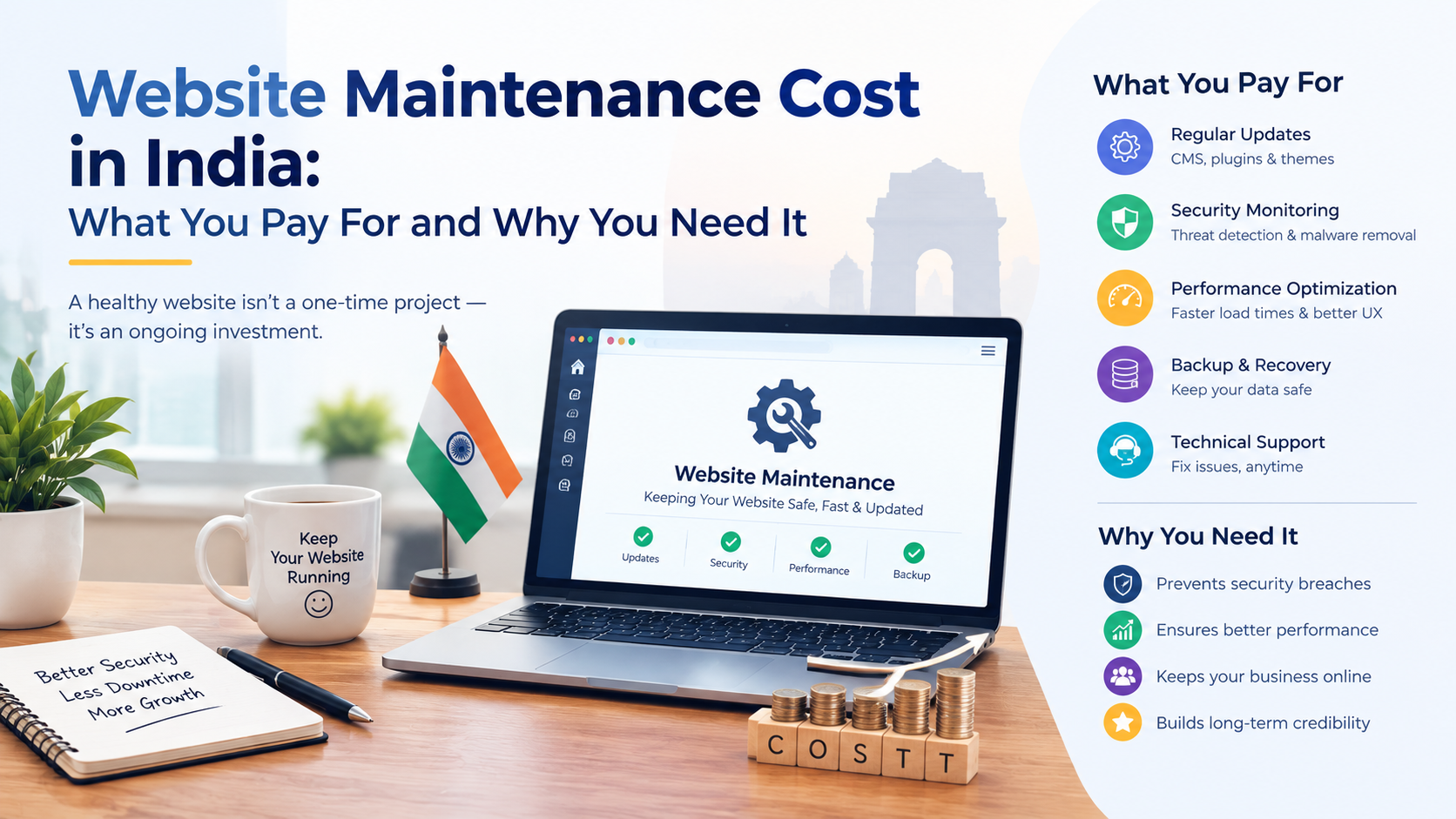
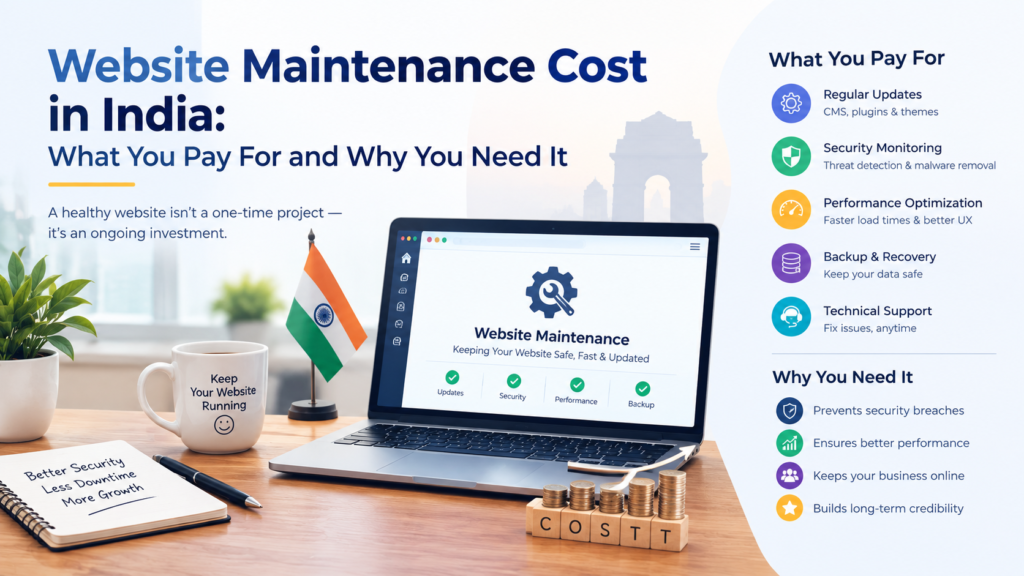
Website Maintenance Cost in India: What You Pay For and Why You Need It

The Short Answer

Website maintenance cost in India depends on the type of website, how many plugins and pages it has, how often it changes and how much support you need. A simple business website needs light monthly care, while an online store or custom-built site needs more time and costs more to look after. In every case, maintenance covers updates, security checks, backups, speed monitoring and fixes, and skipping it usually costs far more than paying for it.

“My Website Is Live. Why Am I Still Paying for It?”

Almost every business owner asks this after launch. The website looks finished, so ongoing charges feel unnecessary. But a website is not a printed brochure. It runs on software, hosting and code that all keep changing around it.

Browsers update, plugins release security fixes, hosting servers change and hackers look for sites that have been left alone. A website that was perfect on launch day can slow down, break or get hacked within months if nobody looks after it. This guide explains what you are actually paying for, what drives the price and how to avoid overpaying. If you are still planning your build, our website cost in India guide covers the development side.

What Does Website Maintenance Include?

A proper maintenance plan is more than “someone on call.” These are the tasks that should be covered:

  • Software updates: WordPress core, themes and plugins kept current and tested.
  • Security monitoring: malware scans, firewall checks and fixes for vulnerabilities.
  • Regular backups: so your site can be restored quickly if something goes wrong.
  • Speed checks: keeping images, scripts and the database from slowing the site down.
  • Uptime monitoring: being alerted when the site goes offline, not finding out from a customer.
  • Bug and broken-link fixes: forms, menus, pages and links that stop working.
  • Small content changes: editing text, swapping images or adding a new offer.
  • SEO health checks: catching indexing errors, broken schema and missing meta tags early.

Our website maintenance and support service is built around this kind of ongoing care.

What Affects Website Maintenance Cost in India?

FactorWhy it changes the price
Type of websiteAn online store with payments and orders needs more care than a 5-page business site
Number of plugins and integrationsEvery plugin is something that needs updating and testing
Size of the siteMore pages and media mean more backups and more to monitor
How often you need changesFrequent content edits or new features take more hours
Response time you expectFaster support and urgent fixes usually cost more
Custom code vs WordPressCustom sites may need developer time for any change

Maintenance Cost by Type of Website

Website typeMaintenance effortTypical cost level
Small business or brochure websiteLightLowest
WordPress site with a blog and several pluginsModerateLow to medium
eCommerce store (WooCommerce or Shopify)HigherMedium to high
Custom-coded site or web applicationHighestQuoted individually

We deliberately avoid quoting a single number here, because the right price depends on your site. A fair agency will look at your website first and then give you a clear monthly or yearly quote. If someone quotes a price without seeing your site, be careful.

Costs That Are Separate From Maintenance

Some yearly expenses are usually not part of a maintenance fee, so ask about them upfront:

  • Domain renewal: your website address, renewed every year.
  • Hosting: the server your website lives on.
  • SSL certificate: the padlock that keeps your site secure, often bundled with hosting.
  • Premium plugin or theme licences: paid tools that renew annually.
  • Business email: if you use a domain-based email address.

Why You Need Website Maintenance

It protects you from being hacked

Outdated plugins and themes are a common way attackers get into websites. Regular updates close those doors before they are used.

It keeps your site fast

Websites slowly collect clutter, such as unused plugins, heavy images and database bloat. Slow pages frustrate visitors and weaken your search performance.

It protects your Google rankings

Broken links, indexing errors and missing schema quietly hurt SEO. Regular checks catch these before they cost you traffic. This is one of the website mistakes that quietly lose businesses enquiries.

It is cheaper than fixing a crisis

Recovering a hacked or broken website means emergency work, lost enquiries and sometimes lost data. A steady maintenance plan is almost always cheaper than one bad week.

DIY, Freelancer or Agency Plan: Which Is Right?

Do it yourselfFreelancer or agency plan
CostFree in money, costly in timeFixed monthly or yearly fee
Technical skill neededYesNo
Risk of mistakesHigherLower
Best forVery small, simple sitesBusiness-critical sites and stores

Updating a plugin yourself sounds simple, until an update breaks your contact form on a busy day. If your website brings in enquiries or sales, professional care is usually the safer choice.

Want your website looked after properly?

Tell us about your site and we will give you a clear maintenance quote, with no confusing packages.

Explore Maintenance & Support

Questions to Ask Before You Buy a Maintenance Plan

  • What exactly is included, and what costs extra?
  • How often are backups taken, and where are they stored?
  • How quickly will you respond if my site goes down?
  • Are small content changes covered, and how many per month?
  • Will I get a simple report of what was done?

These are the same kind of questions we recommend asking before hiring any developer. Our guide to the top questions to ask before hiring a web development agency goes deeper.

Does Your Platform Change the Cost?

Yes. A site built with our WordPress development service usually needs regular plugin and core updates. A custom-coded website has fewer public plugin risks but needs a developer for most changes, and an eCommerce website needs extra attention to payments, stock and checkout. Not sure which platform suits you? Read our comparison of WordPress vs a custom website.

Frequently Asked Questions

How much does website maintenance cost in India?

It varies with the type and size of the website, the number of plugins and the level of support. A small business website costs the least to maintain, while online stores and custom-built sites cost more. A reliable provider should review your site and then give you a clear quote.

Is website maintenance really necessary?

Yes. Without updates, security checks and backups, a website becomes slower, easier to hack and more likely to break. The cost of recovering from a problem is usually higher than the cost of preventing it.

What is included in a website maintenance plan?

A good plan covers software updates, security monitoring, backups, speed checks, uptime monitoring, bug fixes and small content changes. Always ask for the list in writing so you know what is covered.

Can I maintain my website myself?

You can for a very simple site if you are comfortable with updates and backups. For a website that brings in leads or sales, most owners prefer professional help so one wrong update does not take the site down.

Are hosting and domain included in maintenance?

Usually not. Domain renewal, hosting, SSL and premium plugin licences are normally separate yearly costs, so confirm what your plan includes before you sign.

How often should a website be updated?

Security and software updates should be checked regularly, ideally every week or month depending on the site, and backups should run automatically. Content updates depend on your business.

Keep Your Website Safe, Fast and Working

Code To Craft is a remote-first web development agency based in Faridabad, serving businesses across Delhi NCR and North India. If you want a clear, honest maintenance quote for your website, get in touch for a free consultation, or call +91 9069530252.
9 Signs Your Business Website Needs a Redesign

The Short Answer

Your business website needs a redesign if it looks outdated, loads slowly, breaks on mobile, brings in few enquiries, is hard to update or no longer reflects what your business does. If you notice three or more of the nine signs below, a few small fixes probably will not be enough. A redesign, done properly and with your SEO protected, usually pays for itself through better trust, more enquiries and fewer problems.

Is Your Website Helping Your Business or Quietly Hurting It?

Most business owners do not notice their website getting old, because they see it every day. Customers do notice. They compare you with competitors in seconds, and an outdated or slow website makes even a good business look careless.

The tricky part is knowing when to redesign and when a few fixes will do. This checklist gives you 9 clear signs to look for. If you are not sure how a website should perform in the first place, our guide to common website development mistakes is a good companion read.

9 Signs Your Business Website Needs a Redesign

1. It looks outdated next to your competitors

Open your website beside two or three competitors. If theirs look cleaner, more modern and more trustworthy, visitors will notice the same thing. First impressions form quickly, and an old-looking site makes people doubt the quality of your work.

2. It does not work well on mobile

Most visitors will arrive on a phone. If text is tiny, buttons are hard to tap, menus break or you have to zoom and scroll sideways, you are losing enquiries every day. Open your site on your own phone right now and try to call or send an enquiry.

3. It loads slowly

People leave pages that take too long. Heavy images, bloated themes and too many plugins are common causes. Minor slowness can be fixed with optimisation, but if the problem comes from the way the site was built, a rebuild is the cleaner answer.

4. Visitors come but very few enquire

If you get traffic but few calls, forms or WhatsApp messages, the website is not guiding people to act. Unclear messaging, buried contact details and weak calls to action are usually the reason, and they are design problems rather than traffic problems.

5. You need a developer for every small change

You should be able to change a phone number, add an offer or publish a blog without waiting days. If your website is locked in old code or a confusing setup, it slows your business down. A modern WordPress website lets you manage most content yourself.

6. Your traffic or rankings are dropping

A steady decline in visitors can mean your site no longer meets what search engines expect, such as fast loading, mobile-friendliness, clear structure and helpful content. Search is also changing with AI answers, which we explain in our guide to getting your website ready for Google AI Overviews.

7. Your business has changed, but your website has not

New services, a new brand, a new target customer or a new location all deserve a website that reflects them. If your site still describes the business you were three years ago, it is working against you.

8. It has security warnings, errors or broken parts

Browser warnings, broken forms, dead links and plugins that no longer update are signs of a neglected website. Some of this can be solved with proper website maintenance and support. If the foundation itself is outdated, a redesign is safer and cheaper in the long run. You can also read about website maintenance cost in India to compare the two routes.

9. It cannot support what you now need

Maybe you want online booking, a store, a customer portal or integrations with other software, and your current site cannot handle them. That is a clear reason to rebuild, whether as an eCommerce website or a custom-coded website.

Fix It or Redesign It? A Quick Guide

SituationUsually better to
One slow page or a few broken linksFix
Outdated plugins but a solid buildFix and maintain
Looks old, weak on mobile, low enquiriesRedesign
Built on old or messy code that is hard to updateRedesign
Business model or services have changedRedesign
Needs features the site cannot supportRedesign or custom build

See how we build websites that bring in enquiries

Browse real projects we have delivered for businesses across Delhi NCR before you decide on your redesign.

View Our Projects

What a Good Website Redesign Should Include

A redesign is more than a new coat of paint. Done badly, it can wipe out the Google rankings you have already earned. A careful redesign should cover:

  • SEO protection: keeping or properly redirecting your existing URLs so you do not lose rankings.
  • Mobile-first design: built for phones first, then larger screens.
  • Speed: lean code and optimised images from the start.
  • Clear messaging and calls to action: so visitors know what to do next.
  • Proper structure and schema: headings, FAQs and schema markup that search engines and AI tools can understand.
  • Easy content management: so you can edit your own pages.

For the pricing side, see our website cost in India guide, or explore our business website development and corporate website development services.

Choosing Who Will Redesign Your Website

The wrong partner can repeat the same problems in a new design. Ask how they will protect your rankings, who will actually do the work and what happens after launch. Our list of questions to ask before hiring a web development agency will help you compare options. If you are in Delhi NCR, you can also look at our local pages for Delhi, Noida and Gurgaon.

Frequently Asked Questions

How often should a business website be redesigned?

There is no fixed schedule. Many businesses review their site every two to three years and redesign when the look, speed, mobile experience or results fall behind. Regular improvements in between can delay a full redesign.

Will a redesign hurt my Google rankings?

It can if done carelessly, for example by changing URLs without redirects or removing pages that rank. A redesign planned with SEO in mind keeps your existing URLs, redirects any that change and preserves your best content.

How much does a website redesign cost in India?

It depends on the number of pages, the amount of new design and content work and any features you add. At Code To Craft, our Starter plan begins at ₹9,999 for 5 pages and our Business plan is ₹19,999 for 10 pages, with custom quotes for larger projects.

How long does a website redesign take?

A small business website can take a few weeks, while larger, custom or eCommerce projects take longer. The timeline depends on content readiness, the number of pages and how quickly feedback is shared.

Can I keep my existing content when I redesign?

Yes. Good content, blogs and images can be kept and improved. Weak or outdated content is usually rewritten, which often helps both visitors and search rankings.

Is it better to redesign or build a completely new website?

If your current site is built on a solid base, a redesign can refresh the look and performance. If the foundation is outdated or limiting, a new build is cleaner and cheaper over time. A quick review of your current site will show which fits.

Not Sure If Your Website Needs a Redesign?

Code To Craft is a remote-first web development agency based in Faridabad, serving businesses across Delhi NCR and North India. Tell us about your current site, and we will honestly say whether a few fixes will do or a redesign makes sense. Contact us for a free consultation, or call +91 9069530252.
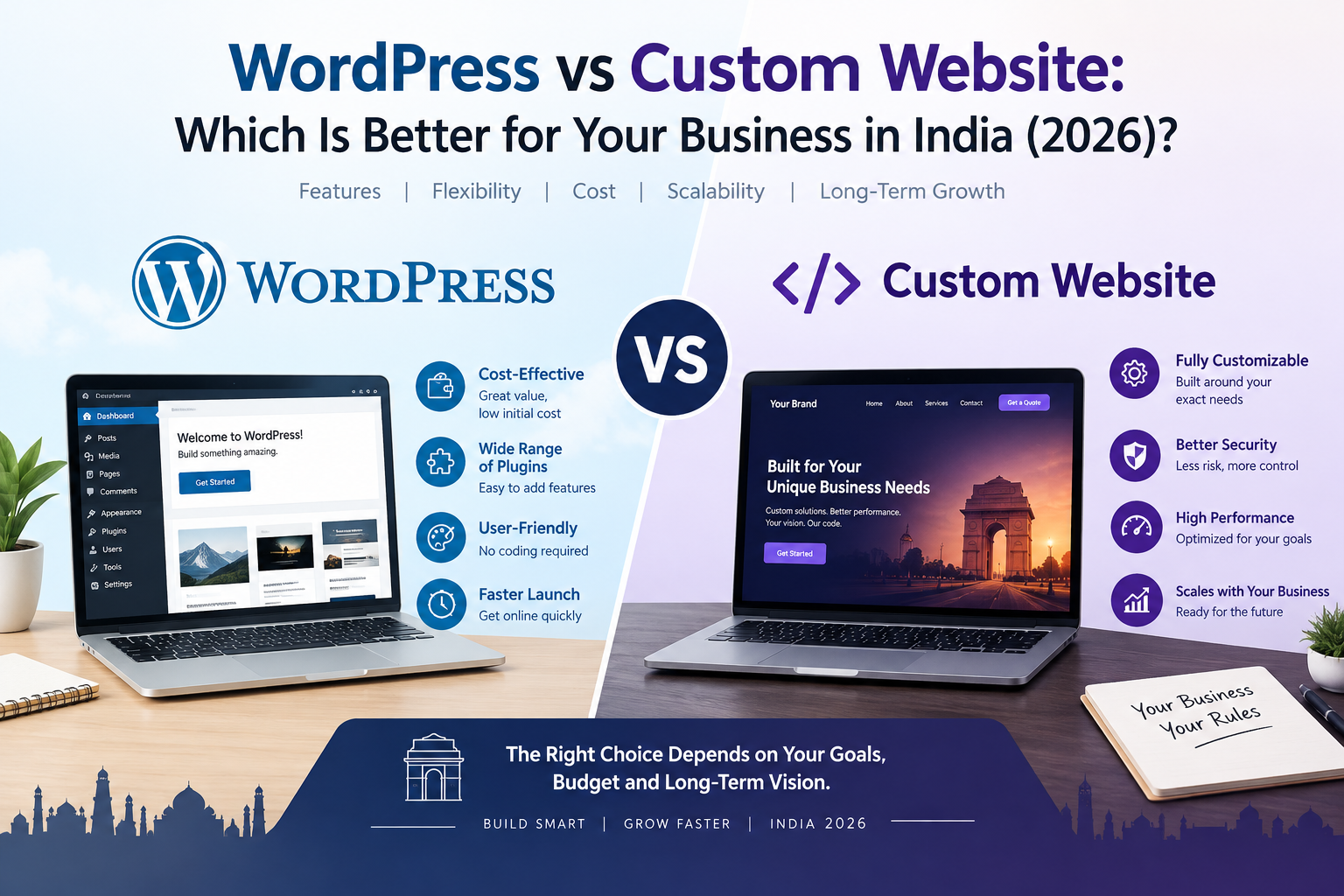
WordPress vs Custom Website: Which Is Better for Your Business in India (2026)?

The Short Answer

For most small and growing businesses in India, a WordPress website is the better choice. It launches faster, costs less and is easy to update yourself. A custom-coded website is the better choice when you need unique features, complex integrations or performance that a ready-made platform cannot give you. The WordPress vs custom website decision really comes down to three things: your budget, your timeline and how much your business will need to grow.

WordPress or Custom Website: The Question Every Business Owner Asks

“Should I get a WordPress website or have one coded from scratch?” is one of the questions we hear most from business owners across Delhi NCR. Both options can produce a fast, professional, search-friendly website. Both can also go wrong if they are chosen for the wrong reasons.

Some people are told “custom is always better” because it sounds premium. Others are told “WordPress is enough for everything” because it is cheaper to sell. Neither statement is true for every business. This guide explains the real differences in plain language so you can decide with confidence, and avoid the common website development mistakes that cost businesses money.

WordPress vs Custom Website: Quick Comparison

WordPress websiteCustom-coded website
Upfront costLowerHigher
Time to launchFasterLonger
Design freedomHigh, within the theme and builderUnlimited
Updating content yourselfVery easyDepends on how it is built
SEO toolsPlugins like Yoast availableBuilt to your exact needs
Unique featuresThrough plugins or extra developmentBuilt exactly as needed
Best forBusiness sites, blogs, service pages, most online storesWeb apps, portals, complex or highly unique projects

What Is a WordPress Website?

A WordPress website is built on the open-source WordPress platform, using themes, page builders and plugins as building blocks. A developer sets it up, designs it around your brand and adds the features you need. You then get an easy dashboard to edit pages, publish blogs and manage content without writing code. Our WordPress development service follows exactly this approach.

What Is a Custom-Coded Website?

A custom-coded website is designed and programmed specifically for your business, without relying on a ready-made platform. Every page, layout and feature is built to your requirements, which gives full control over design, speed and functionality. This is the route we take in our custom website development service when a project needs something a standard platform cannot do.

7 Factors to Compare Before You Decide

1. Cost

WordPress usually costs less upfront because themes, plugins and the content system already exist, so development time goes into design and setup rather than building everything. Custom websites cost more because more is built from scratch. At Code To Craft, our Starter plan begins at ₹9,999 for 5 pages and our Business plan is ₹19,999 for 10 pages, with a custom Enterprise quote for larger needs. For a wider breakdown, read our website cost in India guide.

2. Time to launch

A WordPress site can usually go live sooner because the foundation is ready. A custom site needs design, development and testing for every component, so timelines are longer. If you need to be online quickly to start collecting enquiries, WordPress often wins.

3. Design and flexibility

A well-built WordPress site does not have to look like a template. With the right design work, it can look completely original. Custom coding removes every limit, which matters when your idea includes unusual layouts, special calculators, booking logic or your own user dashboards.

4. SEO

Neither option ranks automatically. WordPress makes SEO easier to manage because tools for page titles, meta descriptions, sitemaps and schema markup are easy to set up. A custom site can be just as search-friendly, but those SEO features have to be built in on purpose. What matters most is clean code, fast loading, good content and proper structure. Our guide on getting your website ready for Google AI Overviews covers the structure search engines now look for.

5. Speed and performance

A custom site has an advantage here because it loads only the code it needs. WordPress can also be fast, but heavy themes and too many plugins slow it down. A lean, properly optimised WordPress build performs well for most business websites.

6. Security and maintenance

WordPress is widely used, which means its themes and plugins need regular updates to stay secure. A custom site avoids many plugin-related risks, but it still needs updates, backups and monitoring, and its security depends on the quality of the code. Either way, ongoing care matters, which is why we offer website maintenance and support.

7. Scalability and ownership

WordPress scales comfortably for content sites, service businesses and many online stores. Very large platforms, marketplaces and custom software products are better served by custom development. In both cases, make sure you own your domain, hosting access and source files.

When Should You Choose WordPress?

  • You want a business website live quickly and within a sensible budget.
  • You want to edit pages and publish blogs yourself.
  • Your site is mainly about services, portfolio, enquiries and content marketing.
  • You plan to sell products online with WooCommerce, or you are comparing it with our eCommerce website development options.

When Should You Choose a Custom Website?

  • You need features that no plugin offers, such as custom booking, pricing tools or client portals.
  • You are building a web application or a platform, not just a business website.
  • You need tight control over performance, design and integrations with other software.
  • You expect heavy growth and want a foundation designed around it from day one.

See what we have built for other businesses

We have delivered 120+ websites across WordPress, custom-coded and eCommerce projects. Browse real examples before you decide.

View Our Projects

Our Honest Recommendation

If your business sells services, showcases work and wants steady enquiries from Google, start with WordPress. It gives you speed, flexibility and control at a fair price, and you can always add custom features later. If your idea depends on something truly unique, or you are building a product rather than a brochure site, invest in custom development from the start.

Not sure which side you fall on? That is normal, and it is exactly what a short consultation is for. Before talking to any agency, it also helps to read our list of the top questions to ask before hiring a web development agency.

Frequently Asked Questions

Is WordPress or a custom website better for SEO?

Neither is automatically better. WordPress makes it easier to manage titles, meta descriptions, sitemaps and schema markup. A custom website can match it when SEO is built in properly. Fast loading, clean structure and useful content decide rankings more than the platform itself.

Is a custom website more secure than WordPress?

Not necessarily. A custom site avoids public plugin vulnerabilities, but its security depends on how well the code is written and maintained. A WordPress site stays secure when it is updated regularly, uses trusted plugins and has proper backups.

How much more does a custom website cost than WordPress?

A custom website usually costs more because more of it is built from scratch, and the gap grows with the number of unique features. At Code To Craft, Starter plans begin at ₹9,999 for 5 pages and Business plans are ₹19,999 for 10 pages, while larger or more complex builds are quoted individually.

Can I start with WordPress and move to a custom website later?

Yes. Many businesses launch on WordPress to get online quickly, then add custom features or rebuild parts of the site as they grow. Keeping your content, domain and URLs organised makes a later move much smoother.

Which is better for an online store?

For most small and mid-sized stores, WordPress with WooCommerce or a platform like Shopify is the practical choice, since payments, inventory and orders are already handled. Custom development makes sense only for stores with unusual requirements.

Does a WordPress website look like a template?

Only if it is built that way. With custom design work around your brand, layout and content, a WordPress website can look completely original.

Get the Right Website for Your Business

Code To Craft is a remote-first web development agency based in Faridabad, serving businesses across Delhi NCR and North India. Tell us about your business, and we will recommend WordPress or custom development honestly, based on what you actually need. Contact us for a free consultation, or call +91 9069530252.
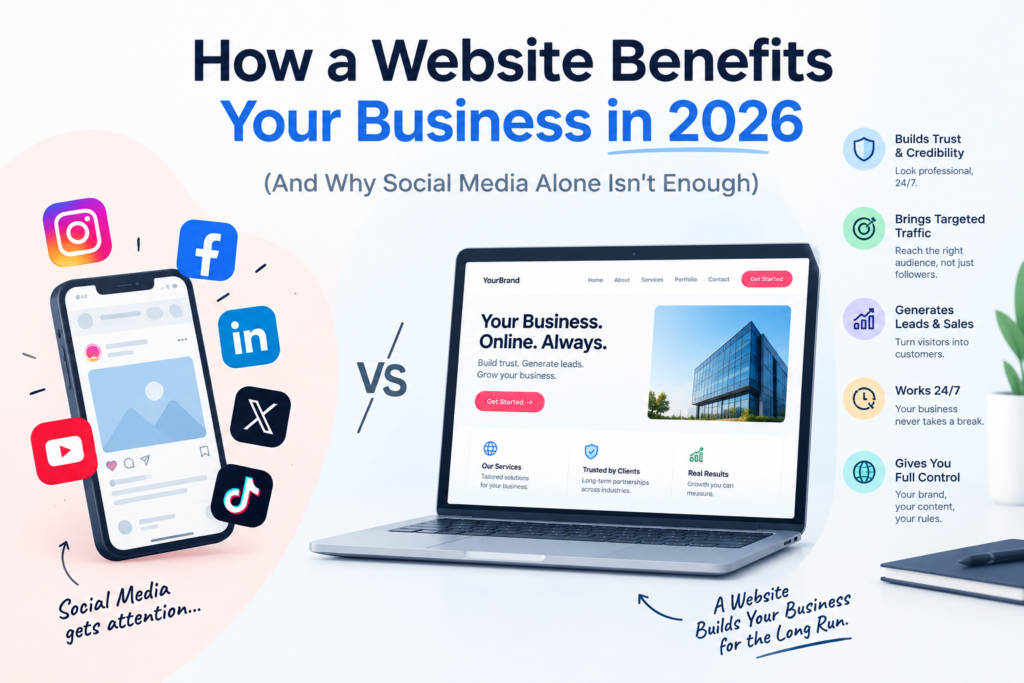
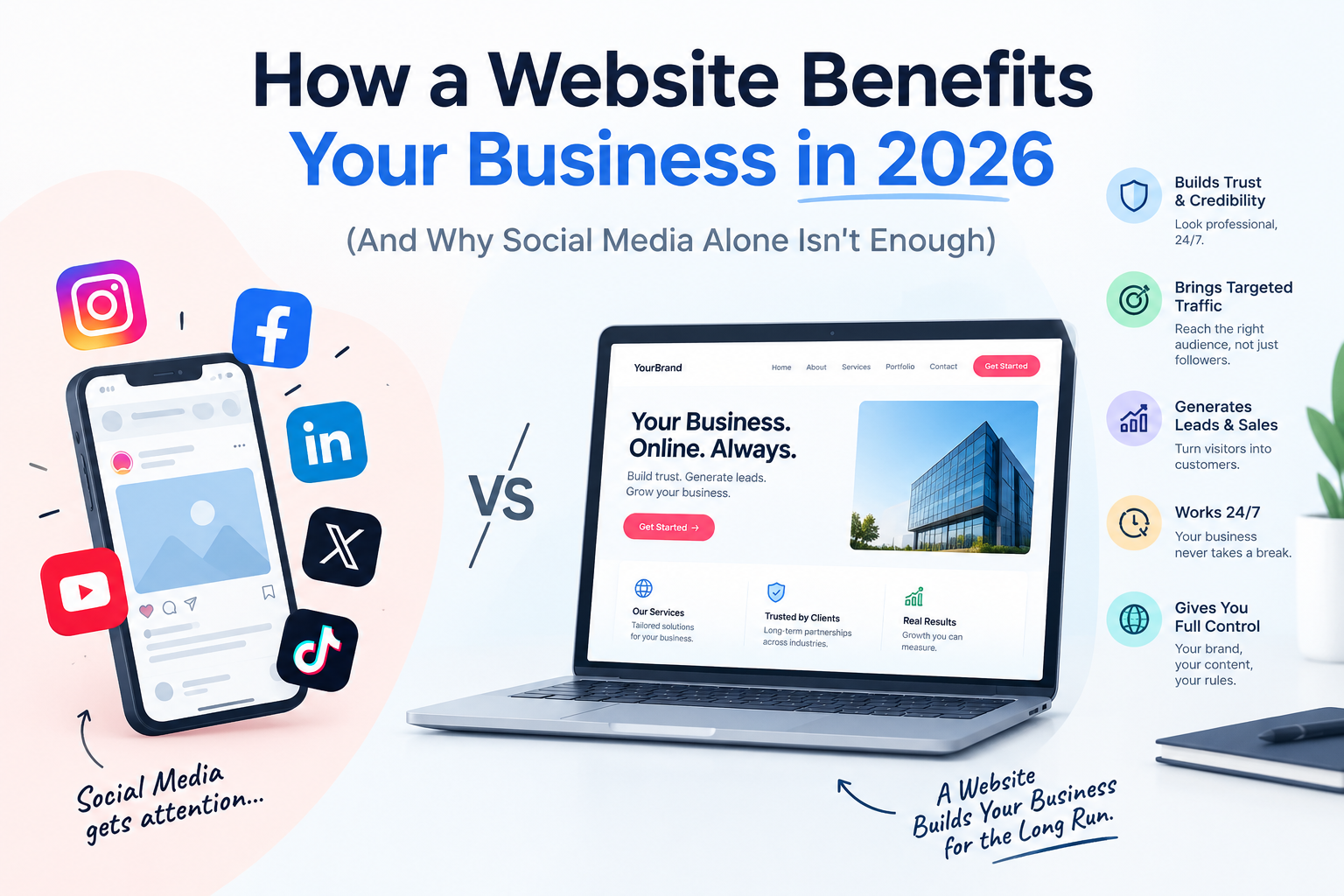
How a Website Benefits Your Business in 2026 (And Why Social Media Alone Isn’t Enough)

The Short Answer

A website benefits your business in 2026 by giving you a trusted, always-open home on the internet that you fully own. It helps customers find you on Google and AI search tools, builds credibility before they ever call you, brings in leads around the clock, and costs far less than most ads over time. Social media pages can support your business, but a website is the one asset that no platform can take away or change the rules on.

Do I Really Need a Website?
My Customers Find Me on Instagram and WhatsApp.

We hear this a lot from business owners across Delhi NCR. And it’s a fair question. If orders are coming in through WhatsApp and your Instagram looks great, a website can feel like an extra expense.

But here is what usually happens next. A new customer hears about you, searches your name on Google, and finds either nothing or a half-finished profile. They hesitate, and then they call the competitor who looks more established.

In 2026, people don’t just look for businesses. They check them out first. Your website is where that check happens, and it’s often the deciding moment.

8 Ways a Website Benefits Your Business in 2026

1. It builds trust before you say a single word

A clean, professional website tells visitors you are a real, serious business. Your services, prices, past work and contact details all in one place remove doubt. Without one, even a great business can look risky to a first-time buyer.

2. It makes you visible on Google, and on AI search

People now get answers from Google, AI Overviews and AI assistants, and these tools pull their information from websites. If your business has no clear, well-structured site, you are invisible to them. A site with proper content, FAQs and schema markup gives search engines and AI tools the information they need to recommend you.

Curious how this works? Read our guide on getting your site ready for AI Overviews in our blog section.

3. It works for you 24 hours a day

Your phone is off at night. Your website is not. Customers can read about your services, check pricing and send an enquiry at 11 PM on a Sunday, and you wake up to a lead instead of a missed opportunity.

4. It gives you an audience you own

Social platforms can change their algorithm, reduce your reach or lock your account overnight. Your website, your content and your email list stay yours. That makes it the safest foundation for everything else you do online.

5. It brings in leads without paying for every click

Ads stop the moment you stop paying. A website with helpful content and good SEO keeps bringing in visitors month after month. Over a year or two, that usually becomes one of the most cost-effective ways to find customers.

6. It lets you sell online

If you sell products, a website with online ordering opens your business to customers beyond your city. Whether you choose WordPress with WooCommerce or Shopify, you can accept payments, manage orders and grow without a physical shop expansion. See our eCommerce website development and Shopify development services.

7. It shows you what is working

With a website, you can see how many people visit, which pages they read, and where they leave. That means you make decisions using real data instead of guesses, and you can improve what is not working.

8. It helps you compete with bigger brands

Online, a small business with a sharp, fast, trustworthy website can look just as professional as a large company. Your size is not visible. Your website quality is.

Social Media vs Website: A Quick Comparison

Social media pageYour own website
Who owns it?The platformYou
Shows up on Google?RarelyYes, with SEO
Works as a sales page?LimitedFully
Trust with new customersMediumHigh
Risk of losing reach overnightHighLow

The best approach is to use both together. Use social media to get attention, and use your website to convert that attention into customers.

What Makes a Website Actually Beneficial?

Having a website is not enough. A weak one can hurt more than it helps. A website that really benefits your business should be:

  • Fast: slow sites lose visitors in seconds.
  • Mobile-friendly: most of your visitors will arrive on a phone.
  • Clear: visitors should understand what you do and what to do next within a few seconds.
  • Easy to contact you from: visible call, WhatsApp and enquiry options.
  • Search-ready: proper page titles, headings, FAQs and schema markup.
  • Secure and maintained: updated regularly so it does not break or get hacked. Our website maintenance and support service exists for exactly this.

How Much Does It Cost to Get Started?

A website does not have to be a huge investment. At Code To Craft, our Starter plan begins at ₹9,999 for a 5-page website, and our Business plan is ₹19,999 for 10 pages. For larger or more complex needs, we create a custom Enterprise plan. Explore options for business websites, WordPress websites and custom-coded websites.

Why Work With a Remote-First Agency?

Code To Craft is a remote-first web development agency based in Faridabad, serving businesses across Delhi NCR and North India. Without the cost of a big office, more of your budget goes into design, development and results. You get direct communication with the person actually building your site, and the work is done wherever you are. Take a look at our recent projects to see what we have built for other businesses.

Frequently Asked Questions

Does my small business really need a website in 2026?

Yes. Even if you get most customers through referrals or social media, people will search for you online to verify you before buying. A website gives you credibility, search visibility and a place to turn interest into enquiries.

Is a social media page enough instead of a website?

Not on its own. Social pages are rented space controlled by the platform and rarely appear in Google results for service searches. A website is owned by you and works as your main online sales and trust page.

How much does a business website cost in India?

It depends on the number of pages, design, features and whether you sell online. At Code To Craft, a 5-page Starter website starts at ₹9,999 and a 10-page Business website is ₹19,999.

How long does it take to see results from a website?

Credibility benefits start the day you launch. Search traffic usually takes a few months to build, as Google needs time to index and trust your pages, and good SEO and regular content speed this up.

Can a website help me get customers from AI search tools?

Yes. AI tools rely on clear, well-structured website content, FAQs and schema markup to understand and recommend businesses. A properly built website improves your chances of being surfaced.

Do I need to keep updating my website?

Yes. Regular updates, security checks and fresh content keep your site fast, safe and visible. Many businesses choose a maintenance plan so they don’t have to handle this themselves.

Ready to Put Your Business Online the Right Way?

If you’re ready for a website that earns trust and brings in real enquiries, we’d love to help. Get in touch with Code To Craft for a free consultation, or call us on +91 9069530252.

Top 10 Website Development Mistakes to Avoid (And How to Fix Them)

A website is not a brochure you print once and forget. It is your hardest-working salesperson, open 24/7, and the first thing a customer checks before they call you. Yet every year, businesses across Delhi NCR spend good money on websites that look nice but bring in no enquiries.

After building 120+ websites for 60+ clients, we have seen the same mistakes repeat again and again. The good news? Every one of them is avoidable. Here are the top 10 website development mistakes you should steer clear of, and what to do instead.

Quick answer: The most common website development mistakes are starting without a clear goal, ignoring mobile users, slow page speed, weak SEO foundations, confusing navigation, no clear call-to-action, skipping security and backups, choosing the wrong platform, neglecting content quality, and having no maintenance plan after launch.

1. Starting Without a Clear Goal

The most expensive mistake happens before a single line of code is written. Many businesses say, “We just need a website,” without deciding what the website should do. Should it generate leads? Sell products? Build trust? Book appointments?

How to avoid it: Write down one primary goal and two secondary goals before you talk to any developer. Every design and development decision should serve that goal. A site built to generate calls looks very different from one built to sell products online.

2. Ignoring Mobile Users

More than half of web traffic in India comes from smartphones. If your site is built for desktop first and “squeezed” onto mobile later, you will lose visitors in the first five seconds: tiny text, overlapping buttons, and menus that do not work.

How to avoid it: Design mobile-first. Test on real phones, not just by resizing a browser window. Make buttons thumb-friendly and keep forms short.

3. Slow Page Speed

Visitors do not wait. Heavy images, bloated plugins, cheap hosting, and unoptimized code can push load time past three seconds, and that is where people start leaving. Google also uses speed as a ranking factor.

How to avoid it:

  • Compress and properly size images (use WebP where possible)
  • Remove plugins you do not truly need
  • Use reliable hosting and caching
  • Test regularly with Google PageSpeed Insights

4. Treating SEO as an Afterthought

This one hurts the most. A business launches a beautiful website, waits for enquiries, and nothing happens, because no one can find it. SEO added after launch usually means expensive rework: changing URLs, rewriting content, and fixing structure.

How to avoid it: Build SEO into the development process from day one. That means clean URL structure, proper heading hierarchy, unique meta titles and descriptions, schema markup, image alt text, and a sitemap. If you are targeting local customers, create dedicated location pages and a strong Google Business Profile.

5. Confusing Navigation and Poor Structure

If a visitor has to think about where to click, you have already lost them. Overstuffed menus, hidden service pages, and unclear page names make it hard for both users and search engines to understand your site.

How to avoid it: Keep your main menu simple, ideally five to seven items. Group related pages logically, link related content together, and make sure any page is reachable within three clicks from the homepage.

6. No Clear Call-to-Action (CTA)

A website without a clear next step is like a shop without a counter. Visitors read your content, nod along, and then leave because nothing told them what to do next.

How to avoid it: Place a clear CTA on every important page: “Get a Free Quote,” “Call Now,” “Book a Consultation.” Use one primary action per page, make it visually stand out, and repeat it at natural points as people scroll.

7. Skipping Security and Backups

Security feels invisible until something breaks. Outdated plugins, weak passwords, and no SSL certificate leave your site open to hacks, malware, and the dreaded “Not Secure” warning in the browser. Without backups, recovery can be painful or impossible.

How to avoid it:

  • Install an SSL certificate (HTTPS) from day one
  • Keep your CMS, themes, and plugins updated
  • Use strong passwords and limit admin access
  • Schedule automatic offsite backups

8. Choosing the Wrong Platform or Technology

Not every business needs the same tech. A simple service business forced into a heavy custom build wastes budget. A growing eCommerce brand squeezed into a basic template will hit limits quickly. Choosing based only on price or trend often backfires later.

How to avoid it: Match the platform to your needs and your growth plans. WordPress development works well for flexible, content-driven sites, custom-coded websites suit unique functionality and performance needs, and Shopify or WooCommerce fit online stores. A good agency will recommend what suits you, not what is easiest for them.

9. Weak, Generic, or Copied Content

Template text like “We are a leading company providing quality services” tells visitors nothing. Copied content can also get penalized by Google. And content written only for search engines feels robotic to real readers.

How to avoid it: Write for your customer’s problem first. Explain who you help, how you do it, and why you are different. Add real project examples, testimonials, and an FAQ section that answers questions customers actually ask. Original, helpful content builds trust and ranks better.

10. No Plan for Maintenance After Launch

Launch day is the starting line, not the finish. Websites need regular updates, security patches, performance checks, and fresh content. Sites left untouched for a year often end up slow, vulnerable, or broken.

How to avoid it: Plan for ongoing care from the beginning. A reliable website maintenance and support plan keeps your site fast, secure, and up to date, so small issues never turn into big, expensive problems.

Quick Checklist Before You Launch

  • Clear goal and target audience defined
  • Mobile-friendly on real devices
  • Page speed tested and optimized
  • Meta titles, descriptions, headings, and schema in place
  • Simple navigation with clear CTAs
  • SSL, backups, and updates set up
  • Original, helpful content on every page
  • Maintenance plan agreed

Frequently Asked Questions

What is the biggest mistake in website development?
Starting without a clear goal. When you do not know what the website should achieve, design, content, and features all become guesswork, and the result rarely brings real business value.

How much does it cost to fix a poorly built website?
It depends on the problem. Quick fixes like speed optimization or meta tags are affordable, while structural issues, such as a wrong platform or no mobile design, may need a partial or full rebuild. Fixing mistakes after launch almost always costs more than avoiding them upfront.

Is SEO part of website development?
It should be. Technical SEO elements like URL structure, heading hierarchy, page speed, schema markup, and mobile responsiveness are built during development. Adding them later is slower and costlier.

How long does it take to build a business website?
A typical business website takes a few weeks, depending on the number of pages, content readiness, and features. Delays usually come from late content or unclear requirements, so having both ready speeds things up.

Do I need website maintenance after launch?
Yes. Regular updates, backups, security monitoring, and performance checks protect your investment and keep your site ranking and converting.

Build It Right the First Time

Avoiding these ten mistakes can be the difference between a website that quietly sits online and one that brings you customers every week. At Code To Craft, we are a remote-first web development agency serving Delhi NCR and North India, and we build websites with strategy, speed, and SEO baked in from day one.

Looking for a business website that actually works for you? Our plans start at ₹9,999 for the Starter package (5 pages) and ₹19,999 for the Business package (10 pages), with custom pricing for larger projects.

Get in touch for a free consultation or call us on +91 9069530252